
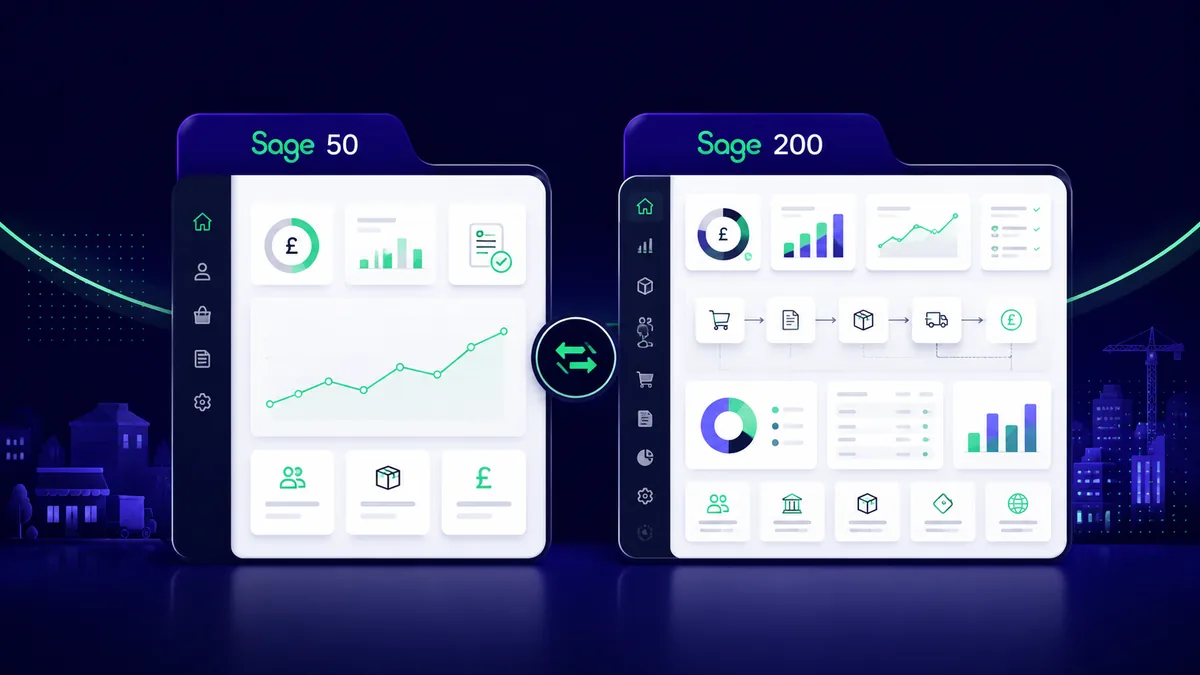
Sage 50 and Sage 200 at a Glance
Sage 50, previously Sage Line 50, is desktop accounting software for small businesses, typically one to twenty-five users. It covers invoicing, bank reconciliation, VAT returns and core bookkeeping, running locally with some cloud-connected features layered on top.
Sage 200 is an ERP system for growing SMEs, typically twenty-five to two hundred or more users. Rather than one accounting package, it is a set of modules (financials, stock and commercials, manufacturing, project accounting and CRM) combined to match how your business runs. It comes in two tiers, Standard and Professional, which are covered below.
The Key Differences Between Sage 50 and Sage 200
Most comparisons stop at "Sage 200 does more." That is true, but not the most useful part: what matters is which differences actually affect your business and which do not.
| Criterion | Sage 50 | Sage 200 |
|---|---|---|
| Business scale | Micro to small business | Growing SME to mid-market |
| Users | 1 to 25 | 25 to 200 or more |
| Core functionality | Accounting and bookkeeping | Full ERP: financials, stock, manufacturing, CRM |
| Multi-company | Separate installations, no consolidation | Native multi-company reporting |
| Typical cost | From around £80 to £235 a month, per user | From around £310 to £395 a month base, plus per-user costs |
| Integrations | Limited, basic API | Open API and SDK, wider partner ecosystem |
| Reporting | Standard reports | Advanced reporting, plus optional Business Intelligence |
| Access | Desktop, with some cloud-connected features | Standard: cloud-only. Professional: on-premise, private or public cloud |
| Customisation | Minimal | Standard: none. Professional: workflows, screens, macros |
| Support | Standard Sage support | Standard support, often through a dedicated partner |
Two of these deserve a quick expansion. The user ceiling matters more than it looks: Sage 50 was not built for twenty-plus people working on the same file at once, and performance starts to slow down before you hit any official limit. Many people are also surprised by the multi-company support. With Sage 50, running two or three businesses usually means separate installations that don't talk to each other, but Sage 200 handles this natively. Sage 200 is an ERP system in the fullest sense; Sage 50 remains, at its core, an accounting package.
Sage 200 Standard vs Professional: Which Tier?
Once Sage 200 makes sense in principle, the next decision is which tier, and this is where the two versions genuinely diverge rather than just scale up.
Sage 200 Standard can only be used in the cloud, hosted on Sage's own servers, with no on-premise option. It is quick to set up, covers financials and commercials right out of the box, and purposefully does not support deep customisation, which suits businesses wanting a step up from Sage 50 without a configuration project.
Sage 200 Professional is the flexible tier: on-premises, private hosted cloud, or public cloud such as Microsoft Azure. It adds optional modules for manufacturing, project accounting, CRM and Business Intelligence, and can be customised with third-party add-ons. This directly answers a frequently asked question: only Standard is cloud-only by default; Professional's hosting model is a genuine choice.
| Sage 200 Standard | Sage 200 Professional | |
|---|---|---|
| Deployment | Cloud only | On-premise, private cloud, or public cloud such as Azure |
| Customisation | None, out of the box | Full: workflows, screens, reports, user roles |
| Core modules | Financials and commercials | Financials and commercials, same base |
| Optional modules | Not available | Manufacturing, CRM, Project Accounting, Business Intelligence |
| Best for | Straightforward trading or service businesses stepping up from Sage 50 | Manufacturing, project-based, or highly specific workflows |
| Typical starting price | From around £325 to £395 a month | From around £310 to £375 a month, scaling with modules |
A practical way to decide: trading or services businesses wanting Sage 200's scale without a customisation project usually need only Standard. Manufacturers, project-based businesses, or anyone who requires the system shaped around specific workflows should opt for Professional.
How Much Does Sage 200 Cost?
Sage does not publish a fixed price list, and figures vary noticeably between resellers, so approach the following as typical ranges rather than a quote, correct as of July 2026. Always confirm current pricing directly with Sage or a certified partner before budgeting.
Single user, Standard to Professional. Extra users on top.
Base platform, cloud only, small number of users included.
Scales with modules and users; £1,000–£1,800 typical at 15–25 users.
Sage 50 typically starts from around £80 to £115 a month for Standard, and £155 to £235 a month for Professional, both quoted for a single user, with cost per additional user on top.
Sage 200 usually starts from around £310 to £395 per month for the base platform and covers only a small number of users. Extra users normally add £5 to £51 per month depending on licence type, so a realistic total for a growing SME with fifteen to twenty-five users often lands between £1,000 and £1,800 per month, including support.
On top of the licence, budget £5,000 to £20,000 for implementation, migration and training on a straightforward move from Sage 50, more if your data is unusually complex. Sage 200 is a bigger step up in cost than the version numbers suggest, so it pays to be confident you need the extra capability before committing. Our guide to the true cost of a legacy system is a useful companion when you build the business case.
6 Signs You've Outgrown Sage 50
You do not need to guess at this. A handful of concrete signs tend to show up before a business is ready to move on.
- 1You regularly have more than fifteen to twenty people trying to use Sage 50 at once, and it visibly slows down.
- 2You need consolidated reporting across more than one company or division, and currently build it by hand.
- 3Someone on your team spends real time each week exporting data from Sage 50 and re-entering it somewhere else.
- 4You need proper stock management, multi-warehouse control, or manufacturing functionality Sage 50 was never built to offer.
- 5Your team needs to work from more than one site, and Sage 50's desktop-only access is becoming a genuine constraint.
- 6You have started building workarounds and spreadsheets to cover gaps, and maintaining them has become its own part-time job.
Recognising two or three of these is a reasonable signal to take the comparison seriously. If they turn out to be integration problems rather than reasons to replace the whole platform, our piece on Excel workarounds and legacy risk is a useful next step.
When Sage 200 Is the Right Move
Sage 200 is a strong fit in specific situations, and it helps to be clear about what those are rather than assuming bigger automatically means better. It fits when:
- your business has grown past twenty-five or so users, and Sage 50 is now the bottleneck;
- you need functionality Sage 50 does not have: multi-warehouse stock, manufacturing, project-level accounting, or a CRM tied to your financials;
- you run more than one trading company and need to report across them without manual consolidation;
- you need integrations that Sage 50's limited API makes difficult;
- you can budget not just for the licence, but for proper implementation and training.
A UK wholesale distributor with around forty staff is a common example: Sage 50 handled the accounts fine, but multi-warehouse stock, batch tracking and consolidated reporting across two trading companies had become manual, error-prone work that Sage 200's stock and financials modules handle natively. We cover this pattern in more depth on our wholesale and distribution page.
When Sage 200 Isn't the Right Move
This is the section most Sage partners will not write, because it does not lead to a Sage 200 sale. But a vendor-neutral comparison has to include it.
Sage 200 is not the right move if you have outgrown Sage 50 specifically, but not the Sage ecosystem as a whole. Though Professional offers more hosting options and Standard is cloud-only, neither is a cloud-native platform, unlike some of its more recent rivals. That matters if cloud-first architecture is a priority.
Furthermore, since Sage 200 is still configurable rather than custom, it is not the best option if you need a system designed to fit your processes rather than the other way around. And it is a good moment to pause if you already recognise the signs of vendor lock-in in how your business runs today: heavy customisation you would have to rebuild elsewhere, data trapped in a proprietary format, or a team trained on one platform only. Moving to Sage 200 without addressing that pattern often just recreates the same dependency at a bigger annual bill.
The next step here is usually to look outside the Sage ecosystem entirely, covered below, or to talk through a proper systems assessment first.
What About Sage Intacct?
Sage Intacct is Sage's cloud-native financial management platform, positioned above Sage 200 for businesses that want strong financial reporting without any on-premise infrastructure at all. Where Sage 200 Professional can run on your own servers, Intacct is cloud-only by design, with multi-entity consolidation, dimensional reporting and audit-ready financial controls built in from the start.
Compared with Sage 50, Intacct is a big step up: it suits businesses that have already outgrown basic bookkeeping and need real financial governance, not just better reports. Compared with Sage 200, the choice is less about scale and more about shape. Sage 200 covers both operations and finance, with stock and manufacturing handled natively. Intacct assumes you either do not need that operational layer or have it covered elsewhere, and instead concentrates on getting financial consolidation and reporting right across multiple entities or subsidiaries.
The practical decision between them boils down to priorities: Sage 200 if you require manufacturing, detailed stock control, or the option of on-premise deployment; Sage Intacct if cloud-first is a must and financial reporting and multi-entity consolidation matter more than stock or manufacturing. Pricing typically starts from around £400 a month, scaling with modules and entities, and a migration from Sage 50 to Intacct tends to run from roughly £15,000 to £40,000 given the deeper financial remodelling usually involved.
The Migration Process: What to Expect
If you decide Sage 200 is the right direction, the process typically runs through five stages over two to four months for a straightforward SME migration.
Assessment comes first: a proper look at your current Sage 50 setup, integrations and processes, so the new system is configured around how you actually work rather than a default template. This normally takes one to two weeks and should produce a clear scope of work.
Data migration follows, and this is where most projects lose time. Sage provides migration tools, but real-world data almost always needs cleaning first, since years of workarounds, duplicate customer records and inconsistent stock codes do not translate cleanly into a new structure. Plan to spend more time here than you expect to need.
Configuration comes next: setting up modules, user roles, workflows and report layouts to match your business rather than leaving everything at default settings. This is where Sage 200 Professional's customisation options get used, or, for Standard, where you confirm the out-of-the-box setup is a good fit.
Testing involves running Sage 200 alongside Sage 50 for a period, often two to four weeks, before fully switching over, so problems surface while you still have a safety net and the old system to fall back on.
Training closes the process. Because Sage 200 has more features than Sage 50, there is a real learning curve. Allow enough time for your team to become proficient rather than just able to log in. Most SMEs need several structured sessions, plus a few weeks of everyday use, before the team stops reaching for the old system out of habit. Our realistic modernisation timeline guide sets out how these phases usually play out.
Alternatives Beyond the Sage Ecosystem
No Sage partner will tell you this because it is not in their interest to: Sage 200 is not the only path forward, and for some businesses it is not even the best one. Independent review data consistently lists Microsoft Dynamics 365 Business Central, NetSuite and SAP Business One alongside Sage Intacct as the products businesses compare Sage 200 against, which lines up with the three routes below.
Xero and similar cloud accounting platforms are worth considering if what you actually need is modern cloud-first accounting rather than a full ERP. They are cheaper and simpler than Sage 200, but they do not natively cover manufacturing, complex stock or multi-entity consolidation the way Sage 200 does. This route suits businesses whose growth is mostly financial complexity rather than operational, often paired with separate specialist apps for stock or job costing.
Microsoft Dynamics 365 Business Central is a good cloud ERP alternative, particularly if your business already runs on Microsoft 365 and Teams. Pricing varies from roughly £50 to £85 per user per month depending on tier, a broadly similar range to Sage 200 once you account for per-user licensing, and the appeal is largely about ecosystem fit and native Microsoft integration rather than raw functionality being better or worse.
A custom solution only makes sense if your processes are so unique that using any off-the-shelf product — including Sage 200 — would require you to modify your operations to fit the software rather than the other way around. This is a smaller group of businesses than most software vendors admit. Still, it is a real one, usually found where a company's competitive advantage sits in a workflow no packaged system was designed to support.
Sage 50, Sage 200, or Something Else?
Four questions usually get a business to the right shortlist before anyone books a demo.
Do you need stock, manufacturing or project accounting alongside your financials?
No → Sage 50 or a cloud accounting platform is probably still enough. Yes → keep going.
Do you run more than one company and need reporting across them without manual consolidation?
Yes → Sage 200, or Sage Intacct if finance is the whole problem.
Is cloud-native architecture a hard requirement?
Yes → Sage Intacct, Dynamics 365 Business Central, or a modern custom platform. No → Sage 200 Standard or Professional.
Does your competitive advantage sit in a workflow no packaged system supports?
Yes → a custom or hybrid solution deserves a proper look before you buy any licence.
Working out which of these actually fits your business is exactly the kind of assessment a free discovery call is for: get in touch and we will talk through your operations rather than push whichever platform happens to pay our bills.
Key Takeaways
Sage 50 is accounting software for small businesses, while Sage 200 is an ERP system for growing ones, with real functionality beyond bookkeeping once you need it. The upgrade pays off when you have genuinely outgrown Sage 50's ceiling on users, companies or functionality, not because a Sage partner suggests it is time. Sage 200 is not the only option, though: Sage Intacct, Xero-based setups, Microsoft Dynamics 365 Business Central and custom-built solutions are all legitimate paths depending on your business needs. A realistic migration takes two to four months and a genuine budget, so it deserves a proper decision rather than a default one.