
Why an IT System Becomes a Legacy System
A system rarely becomes legacy because it stops working. It becomes legacy because the business around it has changed faster than the system has. New products, new reporting requirements, new regulatory checks, all get added to the business, and the system either gets extended to match or it doesn't.
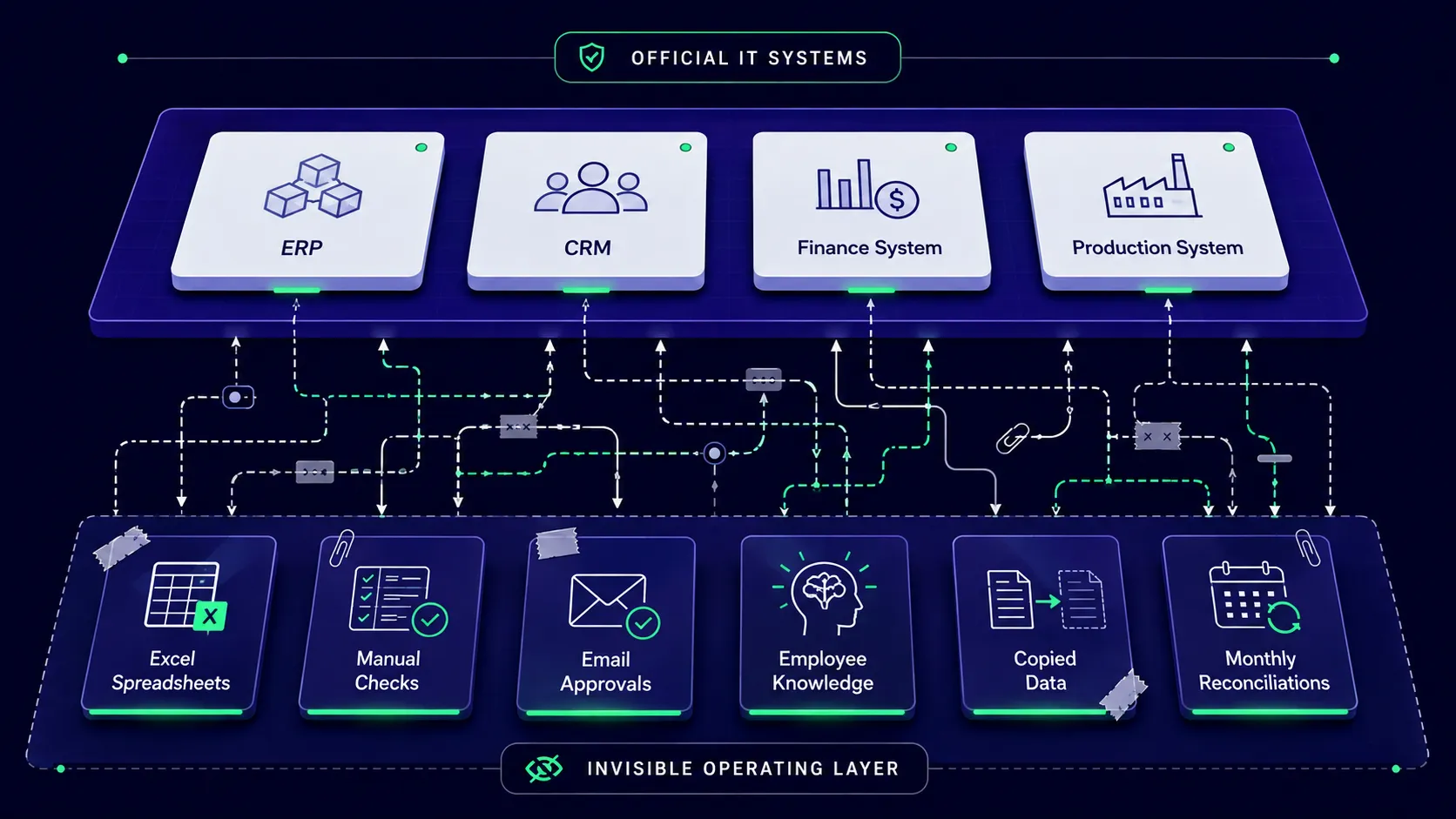
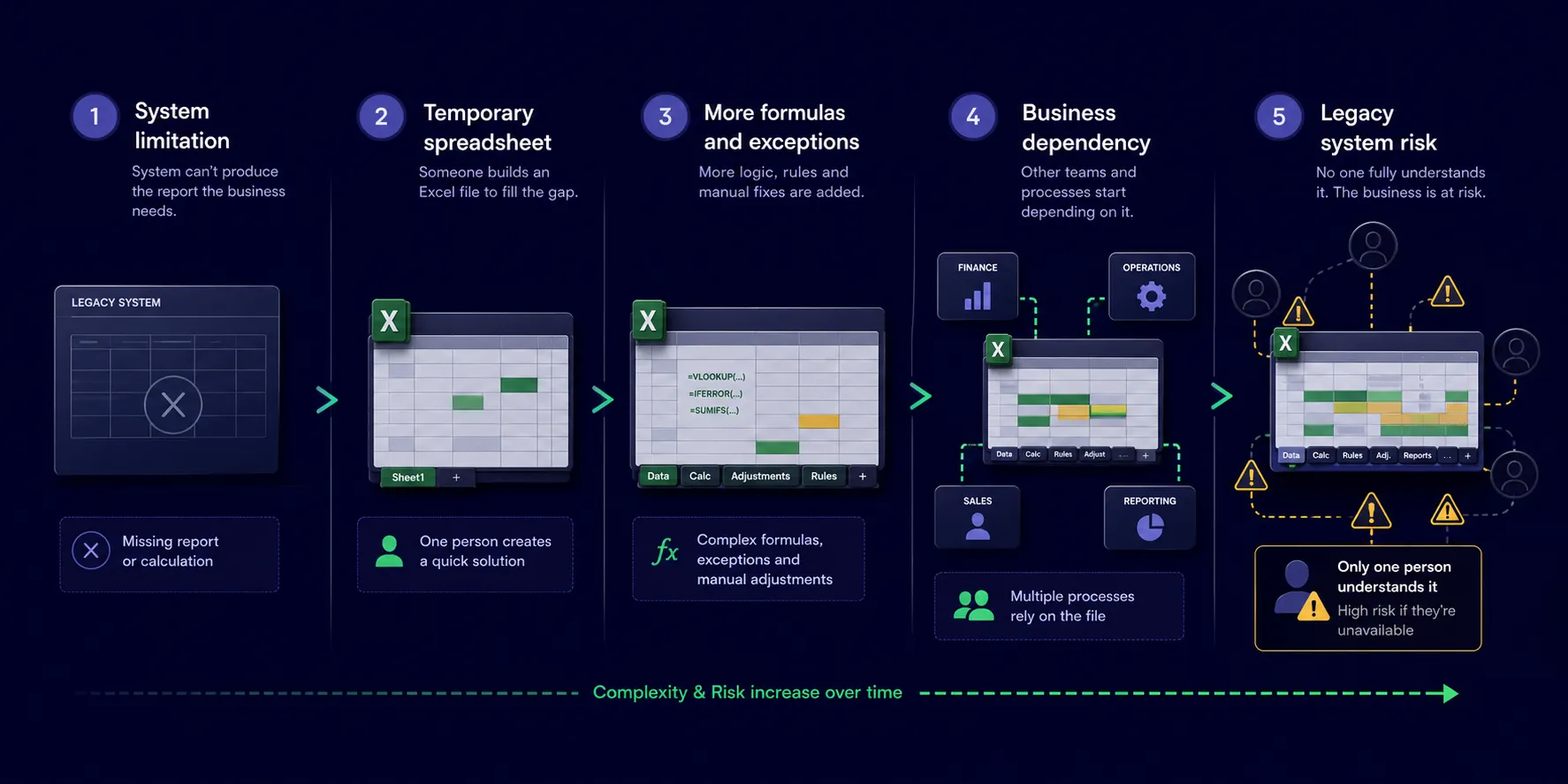
When it doesn't, people fill the gap themselves. A production planner builds a spreadsheet to schedule jobs the system cannot sequence properly. A finance assistant reconciles two systems by hand every month because they don't talk to each other. These fixes work, so nobody revisits them, and each one becomes a small, permanent patch on top of the system rather than a change to it.
Multiply that by several years and several departments, and a business ends up running on two systems: the one it paid for, and the invisible one made of spreadsheets, habits and personal knowledge that actually keeps things moving. Our guide to what is a legacy system covers the wider warning signs.
The Key Person Risk Hiding in Your Spreadsheets
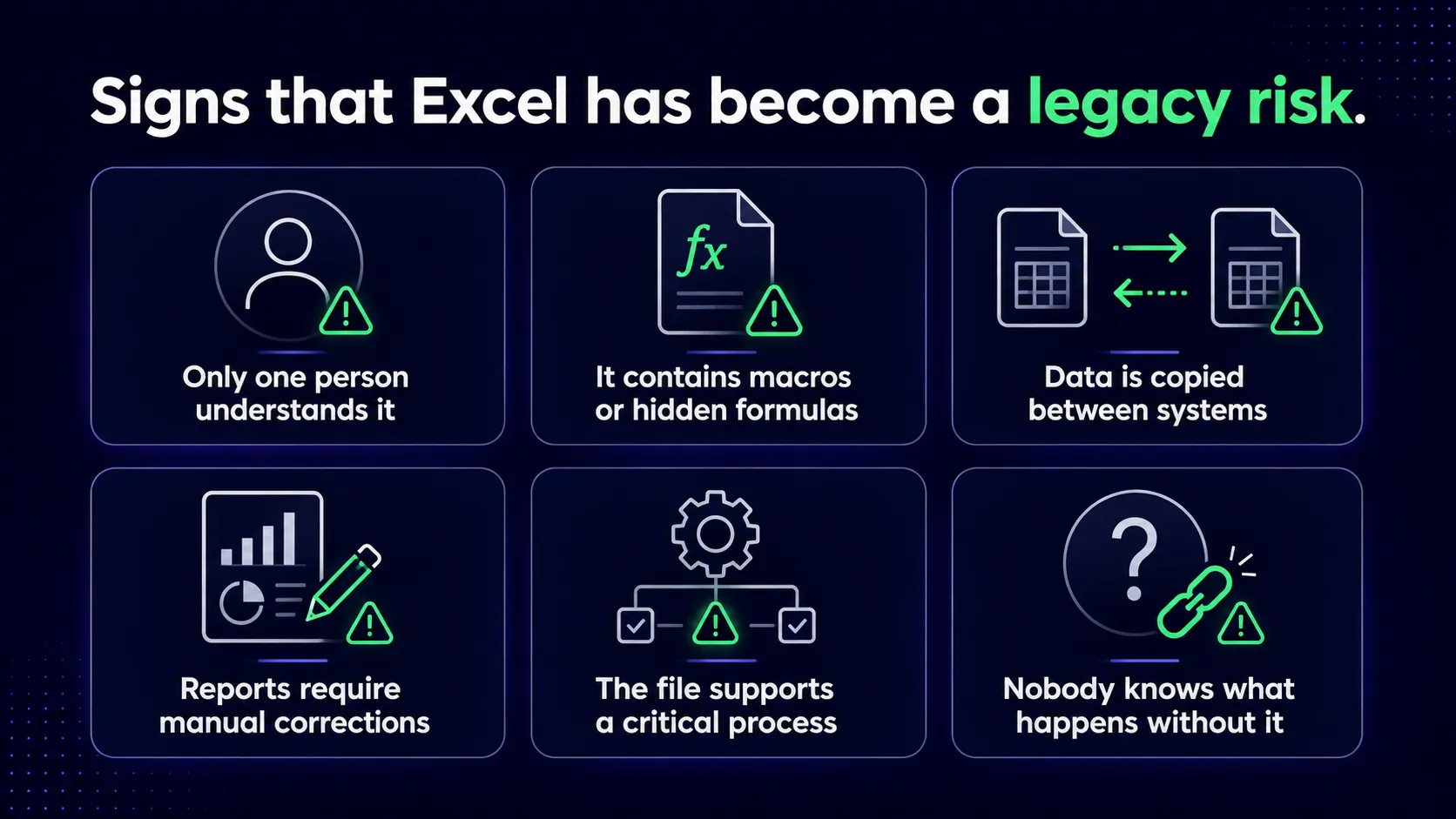
Ask most operations directors who understands their stock reporting spreadsheet completely, and you will usually get one name. Ask what happens if that person is off for a fortnight, and the answer is often a shrug.
This is key person risk, and it rarely gets treated as a priority until it becomes urgent. A spreadsheet with twelve years of formulas, macros and manual adjustments is not really a spreadsheet at that point. It is an undocumented piece of business logic that happens to live in Excel instead of in the system it was meant to support.
The risk is not that spreadsheets exist. Plenty of well-run businesses use them sensibly. The risk is that nobody has written down what the spreadsheet actually does, why it exists, or what breaks if it disappears. That knowledge sits in one person's head, and it stays there until someone goes looking for it, usually far too late.
Why This Becomes Risk Specifically During Legacy System Migration
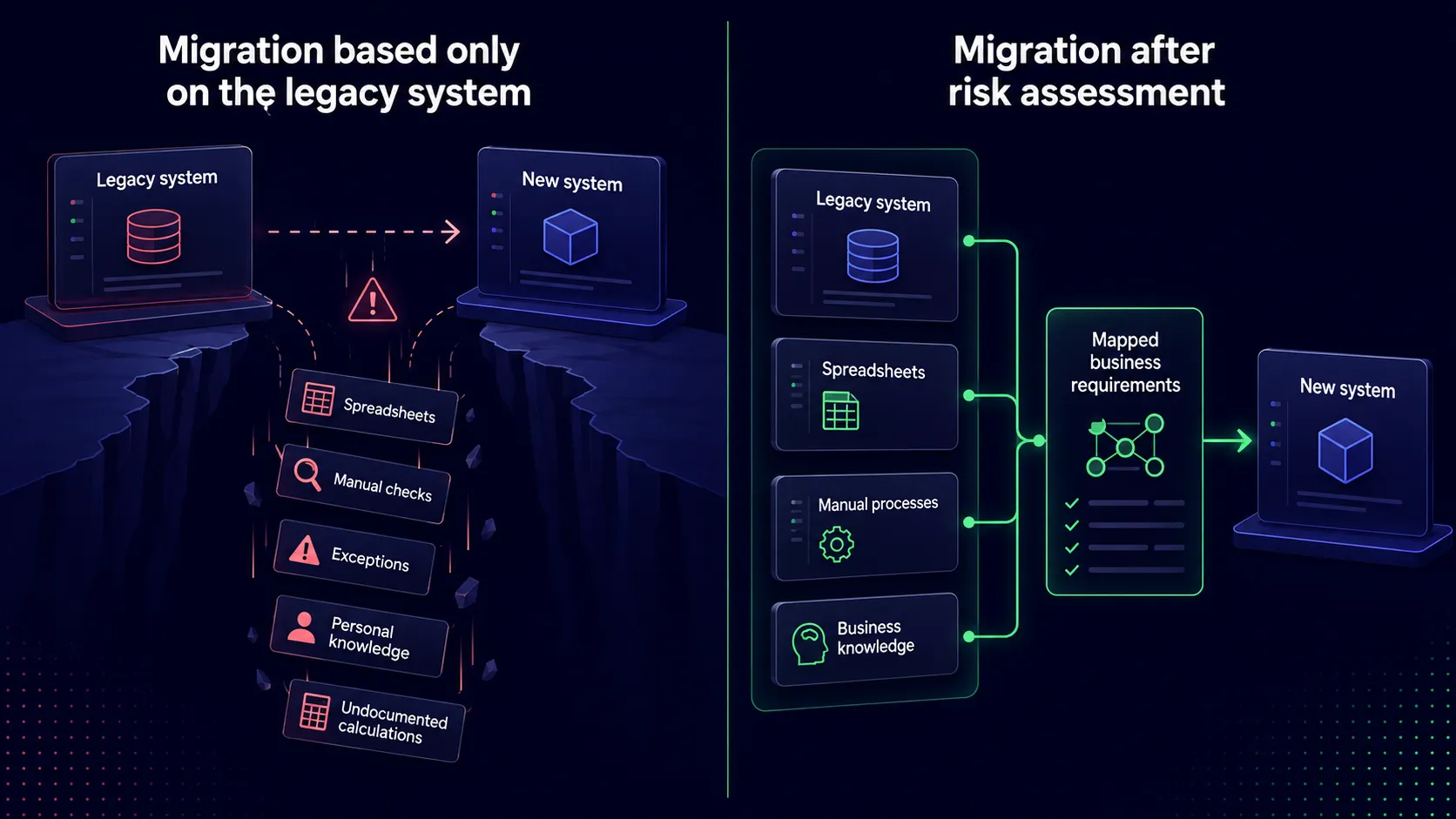
While the current system is still running, none of this shows up as a problem. The workarounds are absorbed into daily routine, and the business carries on. The risk only becomes visible at the point of legacy system migration, when someone has to answer a much harder question: what does this business actually need the new system to do?
Answering that properly means finding every spreadsheet that has quietly taken on part of the old system's job, and working out what business rule, exception or calculation each one is really handling. Skip that step, and a migration project ends up rebuilding only the parts of the business that live inside the old system, while missing everything that has moved outside it over the years. Our walkthrough on mapping legacy system dependencies shows how that groundwork is done.
This is usually where replacement and rebuild projects run into trouble, not in the technology itself, but in the gap between what the system was assumed to do and what the business has actually been doing around it for years.
How to Check for Excel-Based Risk Before You Modernise
Before starting any legacy modernisation project, it is worth running a straightforward exercise across the business.
First, list every spreadsheet that feeds into a business-critical process: reporting, stock, production, finance, customer service. Second, for each one, identify who built it, who maintains it now, and whether anyone else understands it well enough to explain it to a new starter. Third, note what would happen operationally if that spreadsheet were unavailable for a week.
That short exercise usually surfaces most of the key person risk and hidden business logic in a business, well before any project scoping begins. It will not tell you whether to replace, rebuild or modernise in phases, but it gives you the raw material to make that decision with a clear picture rather than a guess.
None of this makes Excel the villain. It is simply the place where the gap between a system and the business it serves tends to become visible first.
If you want a structured way to work through this in your own organisation, our free Legacy Self-Check walks through the same questions in ten minutes. We also cover this in more depth, with a live case study, in our upcoming webinar on legacy system risk assessment.