
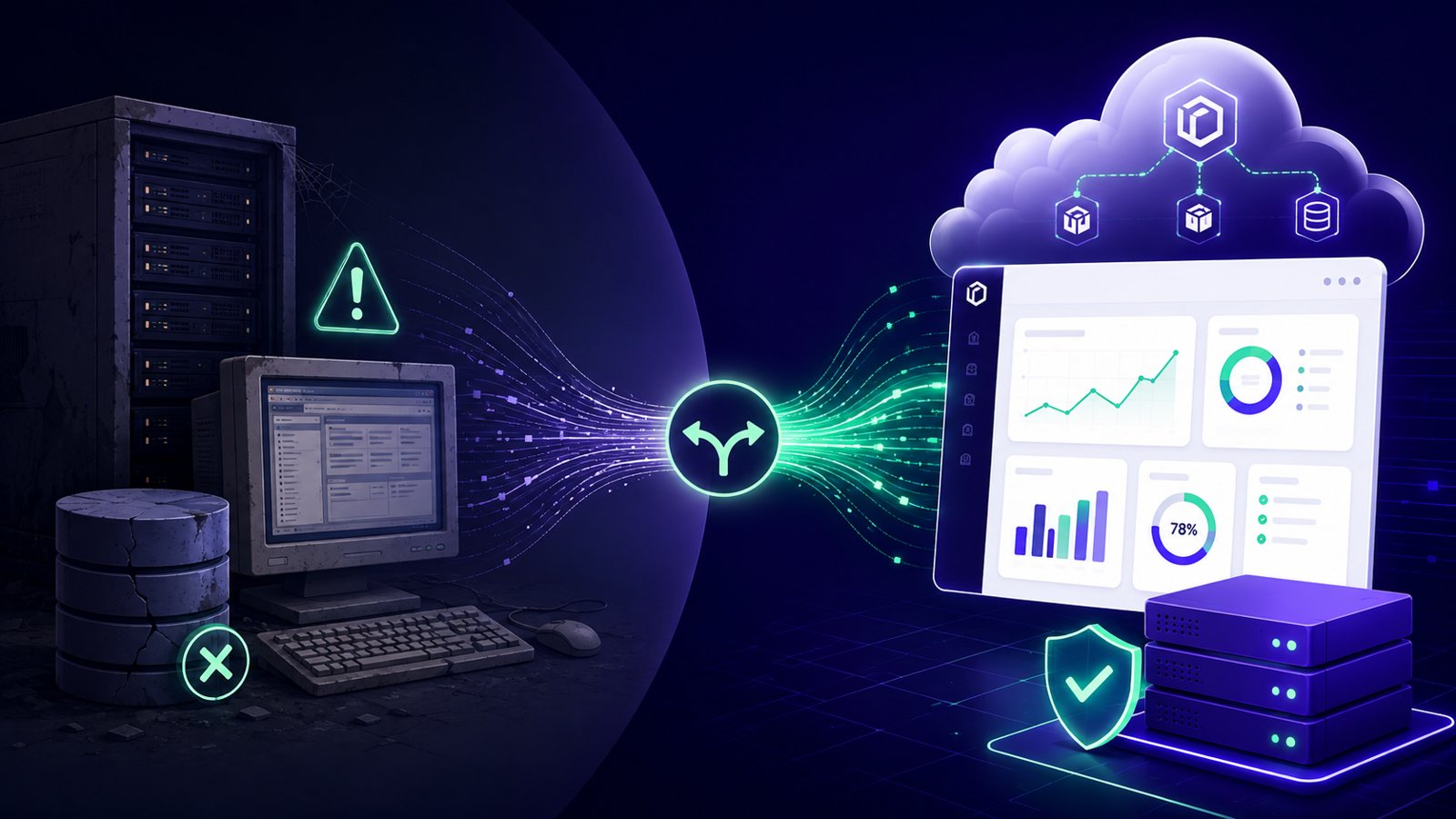
What Does End of Life Mean for Software?
End of life (EOL) means that the vendor has stopped selling, developing and actively maintaining a piece of software: no new features, no further development, and eventually no updates of any kind.
It helps to think of it the way you'd think about a car that's been discontinued. It doesn't stop running the day the factory line closes; it still starts every morning and gets you to work. But spare parts are getting harder to find, mechanics who know it well grow rarer, and the manufacturer has moved on to newer models. The car still works, but it's on its own now.
Software behaves the same way. An end-of-life product usually keeps running exactly as it did the day before its EOL date arrived, so nothing breaks overnight. What disappears is the safety net: the vendor stops fixing bugs, closing security holes, or answering support calls. The software stays frozen in whatever state it was in on that date, while browsers, integrations and cyber threats keep moving around it.
That's the core of what end of life software means for a business: not sudden failure, but the point where risks begin to accumulate quietly in the background. It's also one of the clearest signs that a system has slowly transformed into a legacy system.
The typical software lifecycle
- 1ReleaseProduct is sold and actively developed
- 2Mainstream supportNew features, bug fixes, security patches
- 3Extended supportSecurity patches only
- 4End of lifeNo patches, no support — unless paid ESU applies
End of Life vs End of Support: What's the Difference?
"End of life" and "end of support" get used interchangeably, but they don't always mean the same thing, and the difference matters when you're deciding how urgently to act.
End of life is the broader term. It describes the point where a vendor stops selling and developing a product altogether. End of support (sometimes called end of service, or EOS) is more specific: it's the date when security patches and technical support stop. These often fall on the same day for simpler products, but several major vendors, like Microsoft, split support into stages, exiting "mainstream support" (new features, non-security fixes) years before "extended support" (security patches only) ends.
This is why more than one date often gets attached to the same product. For setting priorities, the most important one is when extended support ends, because that's when vulnerabilities that haven't been fixed start to build up. Running truly end of support software is different from running something merely "discontinued": the former poses a real security risk, while the latter is more of a planning issue.
| End of Life (EOL) | End of Support (EOS) | |
|---|---|---|
| What it means | The vendor stops selling and developing the product | The vendor stops releasing security patches and technical support |
| What stops | New sales, new features, active development | Security updates, bug fixes, help desk support |
| Typical example | A product is marked "legacy" and withdrawn from sale | Windows 10 stopped receiving free security updates in October 2025 |
| Immediate risk | Low. It's a signal to start planning | High. Unpatched vulnerabilities start to build up |
| What to do | Start evaluating your options | Treat it as time-sensitive and prioritise accordingly |
Some vendors also offer a paid bridge between end of support and full abandonment, usually called Extended Security Updates (ESU). These provide a limited number of extra years of security-only patches, typically at a cost that rises each year. ESU are a really useful way to buy time, but it's best to keep in mind that they aren't designed to be a permanent home for ageing software.
Common Examples of End of Life Software in UK Businesses
Software doesn't need to be exotic to show up on this list — a typical 10 to 200-person UK business depends on some of the most common entries every day. End of life technology also includes hardware, like network switches and card readers, though software usually hits this point first and more often.
Windows Server End of Life: A Familiar Starting Point
Windows Server end of life is one of the most-searched versions of this problem, and for good reason. In October 2023, Windows Server 2012 and 2012 R2 left extended support. The final round of paid Extended Security Updates runs out in October 2026, and after that, there will be no opportunity to get patches at any price. Any business still running line-of-business applications on Windows Server 2012 has a very tight deadline coming up.
A Short End of Life Software List for UK Businesses
Beyond Windows Server, several other widely used products have reached, or are close to reaching, end of life:
| Software | Reached end of support | Where things stand |
|---|---|---|
| SQL Server 2014 | July 2024 | Extended updates run until July 2027; SQL Server 2016 follows the same path in July 2026 |
| Windows 10 | October 2025 | Consumer extended updates now run to October 2027; the paid business version runs in yearly steps to October 2028 |
| Access 2016 and 2019 (including runtime versions) | October 2025 | No extended update option was offered; Access 2021 follows in October 2026 |
| PHP 7.4 (the final PHP 7 release) | November 2022 | No extended support from the PHP project; still found in many older WordPress and bespoke sites |
| Older .NET Framework versions | Various, ongoing | Often overlooked until a compatibility check or security scan brings it to light |
This list will keep changing, which is exactly why it's worth checking rather than memorising. endoflife.date maintains a free, continuously updated tracker covering hundreds of products, and it's a fast way to check a specific version rather than waiting for a vendor email to tell you. Microsoft's own Lifecycle Policy is the authoritative source for its products.
If a bespoke Access database is what's actually keeping a team running, our guide to replacing it covers the realistic options.
The Risks of Running End of Life Software
None of this means that a business still running EOL software is doomed. While they plan their next move, many organisations purposefully use older systems safely for a while. The problem is when it happens by accident, with nobody tracking what's ageing. Whether you call them unsupported software risks or end of life software risks, they tend to fall into five categories.
5 risks of running EOL software
- Security vulnerabilitiesAny newly discovered flaw stays open permanently. Cyber Essentials treats unsupported software on an in-scope device as an automatic failure.
- Compliance exposureCyber Essentials, UK GDPR, ISO 27001 and PCI DSS all expect supported, patchable software. FCA firms must map it too.
- Integration problemsBrowsers, operating systems and partner APIs move on. Failures arrive as a string of small, worsening frustrations.
- Rising maintenance costsSpecialists get scarcer, workarounds pile up, and Extended Security Updates get more expensive each year by design.
- Business continuity riskIf it fails outright, there is no vendor to call and often nobody left who remembers how it was configured.
1. Security Vulnerabilities
Once a vendor stops issuing patches, any newly discovered flaw in that product stays open permanently. There's no fix coming, and attackers know it, which is part of why EOL software gets disproportionately targeted — a known, static target rather than a moving one. The 2017 WannaCry outbreak, which affected the NHS among thousands of other organisations worldwide, spread through a vulnerability in older Windows systems that had already reached, or were approaching, end of support.
For UK businesses, this has a concrete consequence: Cyber Essentials, the certification most SMBs are asked for by clients, insurers or public contracts, treats any unsupported software on an in-scope device as an automatic failure, with no grace period.
2. Compliance and Regulatory Exposure
Security update requirements show up across nearly every UK compliance framework. All in-scope software must be vendor-supported and have critical and high-risk patches applied within 14 days, according to Cyber Essentials. UK GDPR's security principle, per the ICO's guidance on data security, requires "appropriate technical and organisational measures" for personal data, a fair bar for software that can never be patched again. ISO 27001 and PCI DSS both flag it too, the latter treating it as a baseline control failure for card payments.
FCA-regulated financial firms face an extra layer: operational resilience rules require mapping the technology behind each important business service, and an EOL system behind a customer-facing process is exactly the dependency that mapping is meant to surface. None of this means an automatic audit failure, but it needs a documented answer, not silence.
3. Integration and Compatibility Problems
Software doesn't exist in isolation. As browsers, operating systems and the APIs that underpin other services move on, they gradually stop supporting older versions. For example, a cloud accounting platform might drop support for the browser your EOL system depends on, a payment provider might retire the API your ordering system talks to, or a new starter might get a laptop that won't run the application everyone else has used for a decade.
These rarely arrive as dramatic failures where, at one clear moment, everything stops. More often, it's a string of small, frustrating problems that get harder to work around over time.
4. Rising Maintenance Costs
There's a paradox at the heart of running old software: the older it gets, the more it costs. Specialists who understand a twelve-year-old system are scarcer, and workarounds accumulate: exactly the pattern technical debt describes, just showing up as a maintenance invoice instead of a line in a codebase. Buying extra time through a vendor's Extended Security Updates programme doesn't really help the maths either, since that cost usually rises quite a bit each year, precisely to discourage treating it as permanent.
Software obsolescence rarely feels dramatic; it's a slow accumulation that's easy to miss, and easy to underestimate against the cost of migrating once, in a planned way.
5. Business Continuity Risk
If an end-of-life system fails outright (hardware dies, a database corrupts, a critical process breaks), there's no vendor line to call. Whoever set it up may have left the business years ago, taking undocumented knowledge with them, and recovery becomes a matter of finding whoever still remembers how it was configured instead of logging a support ticket.
For a genuinely mission-critical system, this is the risk that carries the most weight: a billing system or production database down for days, not hours, simply because nobody is quite sure how to bring it back, is a business continuity problem long before it's an IT problem.
What to Do When Your Software Reaches End of Life
Once EOL software is treated as a risk category rather than a single crisis, the response becomes far more manageable. Four steps when your software reaches end of life:
4 steps when your software reaches EOL
- 1Audit your current software estate.
- 2Assess the business impact of each system.
- 3Evaluate your options: upgrade, replace, or mitigate.
- 4Create a software lifecycle policy so it doesn't happen again.
Step 1: Audit Your Current Software Estate
You can't manage what you haven't listed. Most SMBs are surprised, when they actually look, by how much software is quietly running on ageing versions that nobody has checked in years. Start with a simple spreadsheet: every server, every significant application, its current version, and its EOL or EOS date. endoflife.date covers most mainstream products for free and is a quick way to check a specific version.
The result should be a prioritised list: software that's already unsupported, software approaching its deadline within twelve to eighteen months, and everything else that's currently fine. That alone turns a vague worry into a workable to-do list. For a more structured version of this exercise, our guide to IT risk assessment walks through the fuller process.
Step 2: Assess Business Impact
Not everything on that list deserves the same urgency. For each system, ask a few simple questions: who uses it, what data does it hold, which processes depend on it, and what happens if it stops working tomorrow?
A finance system that holds customer payment data and supports daily invoicing is a very different priority from an old internal tool that three people glance at once a month. This step turns a long list into a short list of what truly needs attention first.
Step 3: Evaluate Your Options
For each priority system, there are usually three realistic paths:
- Upgrading or migrating to a supported version of the same product. This is often the most straightforward option, since it keeps the underlying system and its data familiar.
- Replacing the system with a modern alternative when the product is fully discontinued or the business has genuinely outgrown it.
- Mitigating the risk in the short term by isolating the system, restricting access and monitoring it more closely, while neither of the first two is realistic just yet.
The path that fits depends on the specific system and the budget available. There's rarely a single right answer, and a short-term mitigation plan while you prepare a proper migration is a sensible middle ground. Our guide to rewriting versus modernising covers the trade-offs in more detail.
Step 4: Create a Software Lifecycle Policy
The best way to avoid ending up here again is to stop finding out about EOL dates by accident. A straightforward software end of life policy doesn't have to be complicated: assign one owner for the software estate, review the list quarterly, incorporate refreshes into the annual budget cycle rather than treating them as surprise costs, and keep track of EOL and EOS dates for anything business-critical.
That quarterly review is the part that actually makes the difference. It's a short meeting, not a project, and it means the next EOL notice arrives as an item on a list you're already tracking, rather than a surprise in your inbox.
When to Get Professional Help
Some situations call for outside expertise rather than an internal spreadsheet and a weekend of good intentions. It's usually worth bringing in outside help when:
- The EOL system is mission-critical, and nobody in-house has the expertise to migrate it safely.
- The system is custom-built or heavily customised, so there's no simple upgrade button, and the migration path needs to be designed from scratch.
- Several EOL systems are stacking up at once, and it's genuinely hard to know where to start.
- A compliance deadline (a Cyber Essentials renewal, an FCA requirement, a client's supplier security review) is approaching, and time is limited.
If any of that sounds familiar, it's worth a conversation before it becomes urgent. Not sure which systems need attention first? That's exactly the kind of prioritisation an outside pair of eyes can help with.
Key Takeaways
- End of life doesn't mean broken. It means the safety net is gone, and the responsibility has shifted to you.
- The risks that matter most are security, compliance and rising cost, roughly in that order of urgency.
- Start with an audit. You can't prioritise what you haven't listed.
- Plan ahead of the deadline, not on the day it arrives. Twelve to eighteen months' notice is normal for most EOL dates.
- You don't have to work through this alone.